Control Flow in JavaScript: If, Else, and Switch Explained
Hello fellow developers!
Imagine you are driving down a road and you reach an intersection. If the light is green, you keep driving. If it's red, you stop. If you are hungry, you might take a detour to a drive-thru.
This is exactly how programming works. Our code reads from top to bottom, but we don't always want every single line of code to run every single time. Sometimes, we want our program to make decisions based on specific conditions.
In JavaScript, we call this Control Flow. Today, we are going to look at the tools that let our code think for itself: if, else, else if, and the switch statement.
Let's dive in!
1. What is Control Flow?
Control flow is simply the order in which individual statements and instructions are executed in a script. By default, JavaScript runs code sequentially (line 1, then line 2, then line 3).
But using conditional statements, we can tell the code to "skip" certain lines, or "branch off" into different paths based on the data it receives.
2. The if Statement: The Basic Gatekeeper
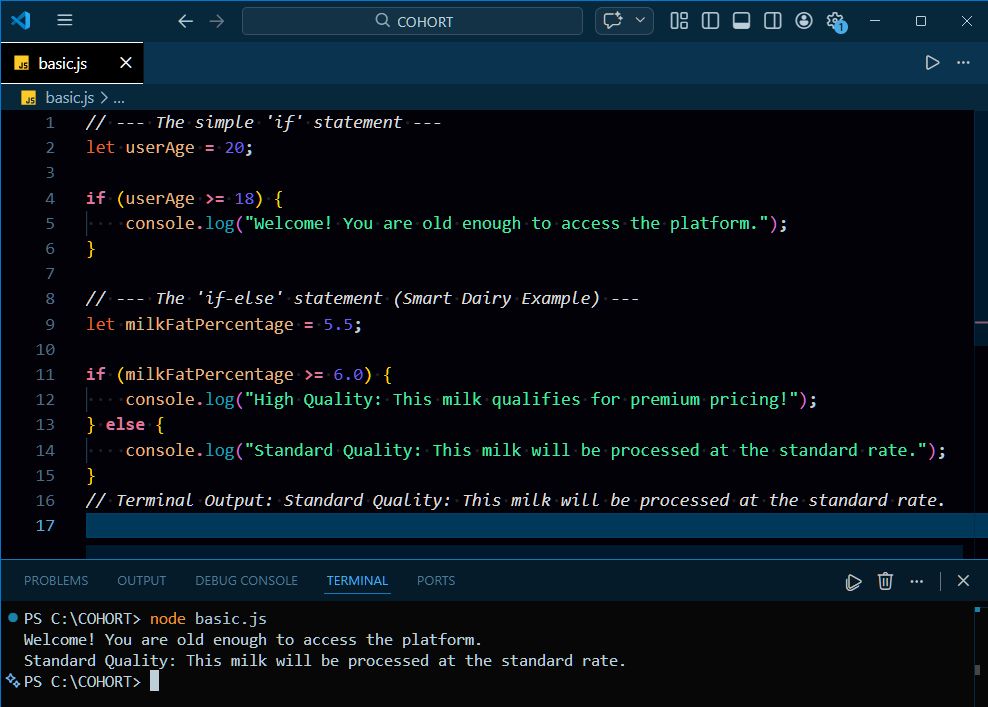
The if statement is the most fundamental decision-making tool. It evaluates a condition (which must result in true or false). If the condition is true, the code block inside it runs. If it's false, JavaScript completely ignores that block and moves on.
3. The if-else Statement: The Fork in the Road
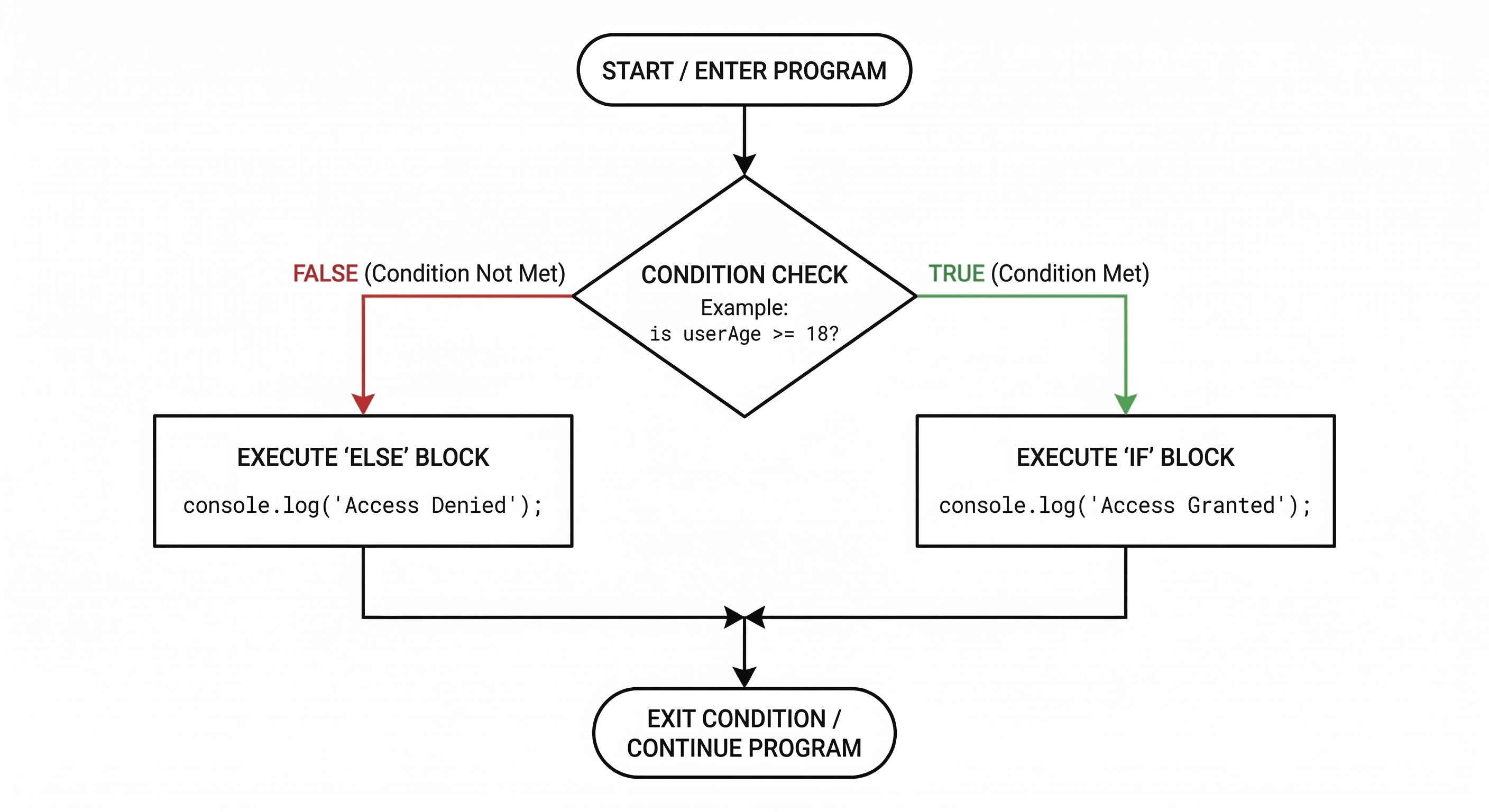
The if statement is great, but what if we want to run a different block of code when the condition is false? That is where else comes in. It acts as the default fallback.
Think of it like this: "If the store is open, go inside. Else, go back home."
4. The else if Ladder: Multiple Choices
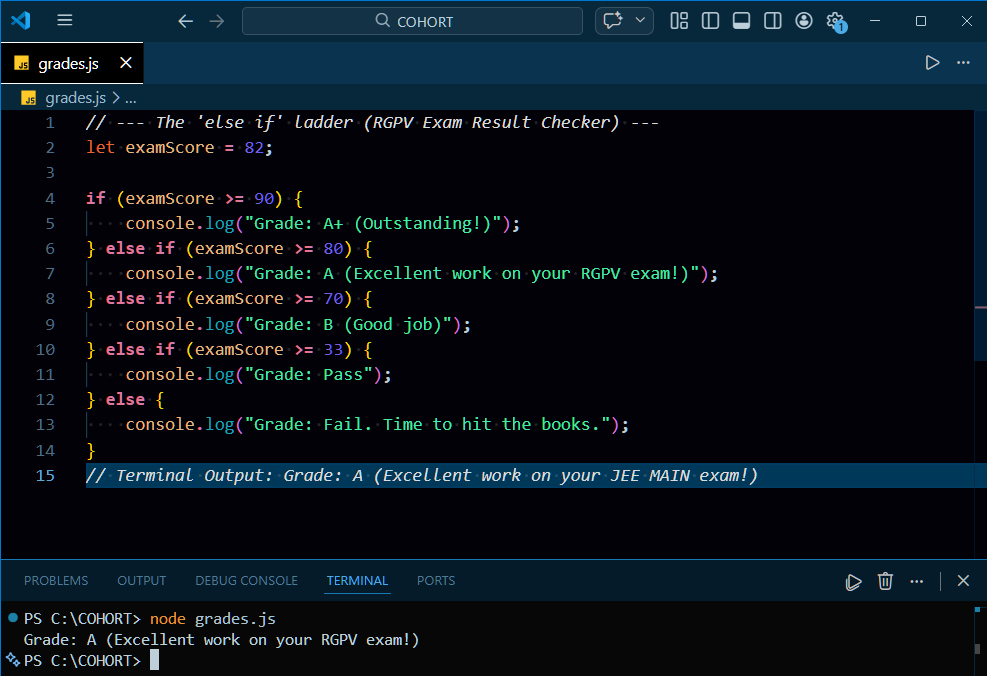
Life is rarely just "yes" or "no". Often, we have multiple conditions to check. We can chain our decisions together using the else if ladder. JavaScript will check each condition from top to bottom. The moment it finds one that is true, it runs that block of code and skips the rest of the ladder entirely.
5. The switch Statement: The Exact Matcher
When you have a long else if ladder that checks the exact same variable for a bunch of specific values, the code can get messy and hard to read.
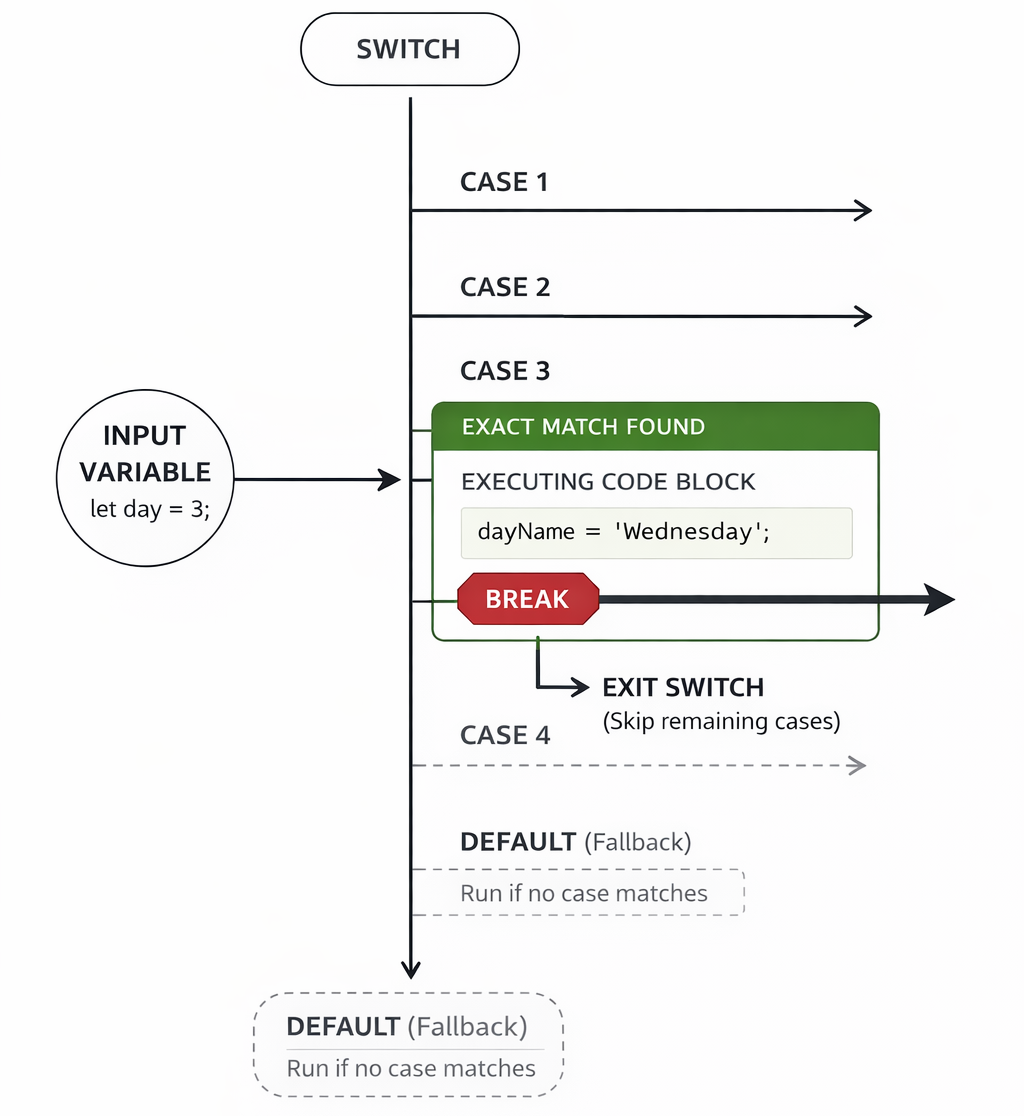
The switch statement is designed specifically for this scenario. It takes a single value and matches it against various cases.
Crucial detail: You must use the break keyword at the end of each case! If you forget break, JavaScript will keep running the code in the cases below it, even if they don't match. This is called "fall-through."
When to use switch vs if-else?
Use
if-elsewhen you are checking ranges of values (likescore > 90) or complex boolean logic.Use
switchwhen you are checking a single variable against a list of exact, specific values (like checking days of the week, or specific status codes like "pending", "approved", "rejected").
Conclusion: Best Practices and Final Thoughts
Mastering control flow is the key to writing dynamic, intelligent JavaScript, but it comes with a few crucial rules to keep your code bug-free. Always default to using strict equality (===) in your conditions to prevent unexpected type-coercion bugs (like the number 5 equaling the string "5"). As your logic grows, actively avoid the "pyramid of doom"—nesting too many if statements inside each other makes your code incredibly hard to read and debug. Instead, rely on clean else if ladders or switch statements when routing multiple distinct choices. If you do use a switch, never forget your break keywords; omitting them causes a "fall-through" where JavaScript blindly executes the code in every case below your match. Finally, always include a final else or default fallback to catch unexpected data gracefully rather than letting your app crash. Keep these habits in check, and you'll be writing robust, professional decision-making logic in no time. Happy coding!


